From pre-production to shoot day.
In one unified studio.

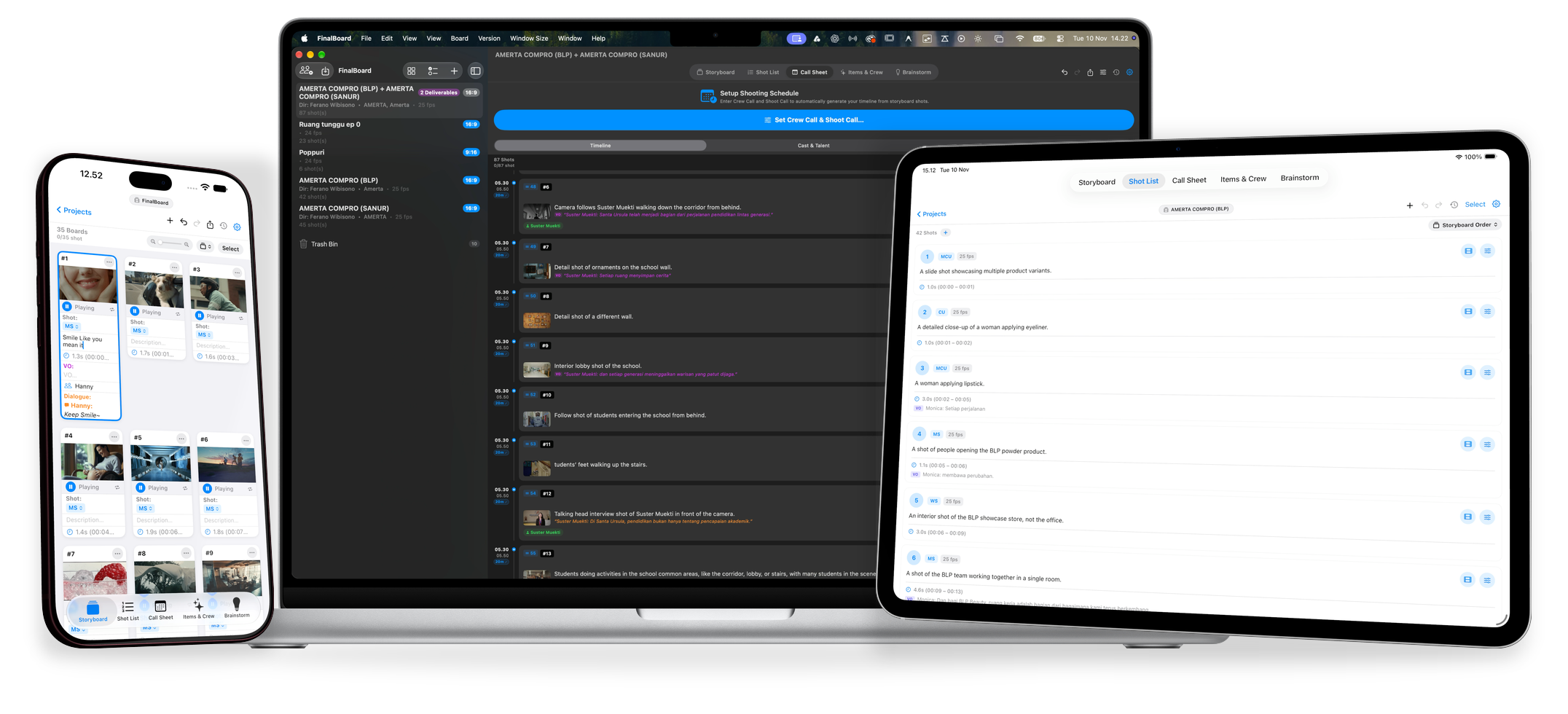
Build visual storyboards effortlessly, plan shot lists, coordinate your entire field crew from wardrobe to camera, and run your shoot day with auto-synced call sheets — engineered natively across Mac, iPad, and iPhone. Completely offline-first.

FinalBoard studio ecosystem across Mac, iPad and iPhone featuring Storyboard, Call Sheet and Screenplay views

Connect every phase of your film in one seamless flow.

No fragmented spreadsheets, no lost continuity notes. From the first spark of an idea to calling "Wrap!" on set.

01 / STORYBOARD

Drag. Drop.
Direct.

Build visual storyboards with zero friction.

Creativity should be hard on the brain, not the tools. Manually managing 100 storyboard cards or shifting frames by hand when revisions happen on set is exhausting. FinalBoard eliminates that friction completely—so you focus on directing, not organizing.

Instant Board Generation

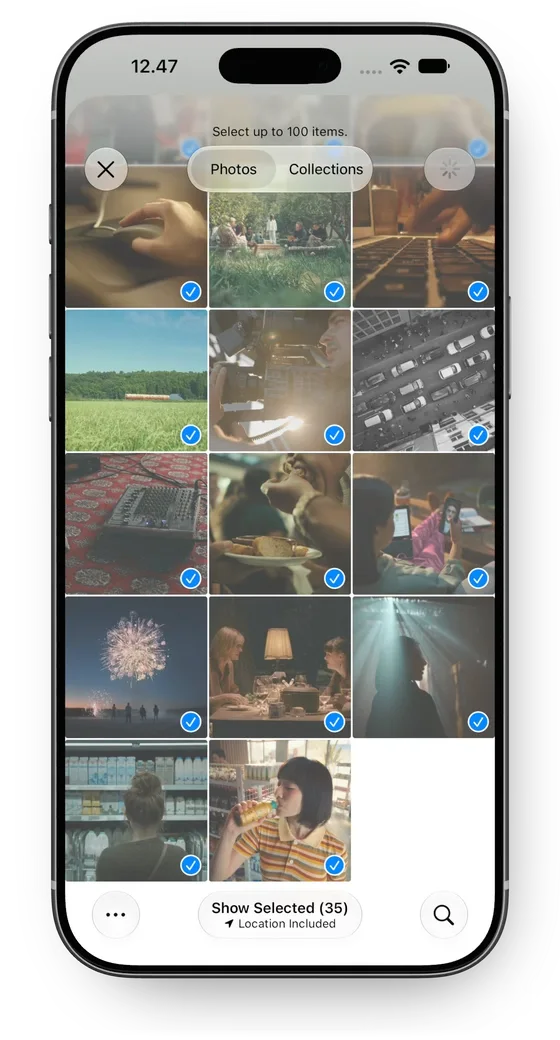
Drag from Finder. Or tap from Photos.

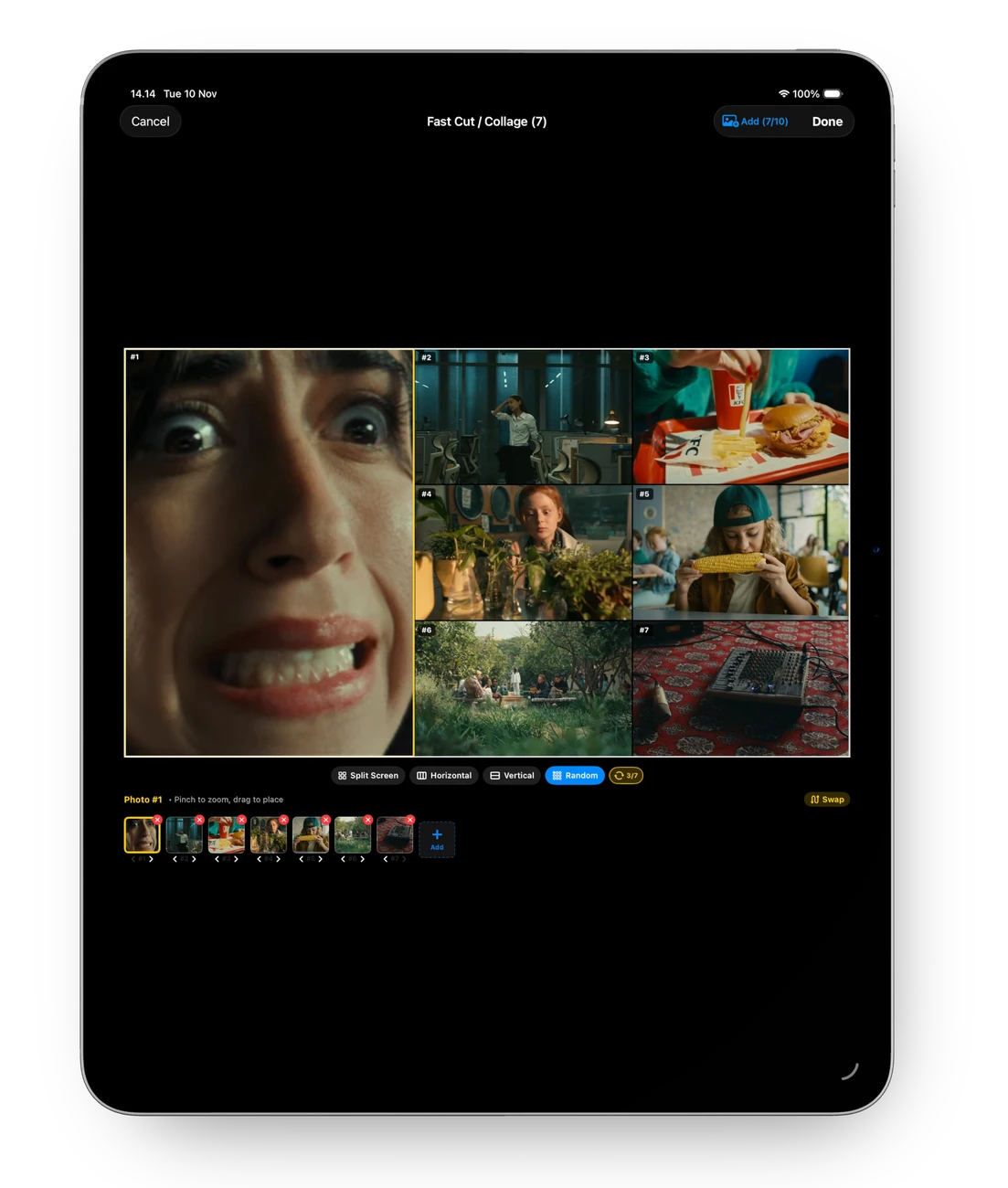
Drag multiple files directly from Finder, or select photos from your iOS library. FinalBoard instantly turns them into structured storyboard cards matching your project aspect ratio.
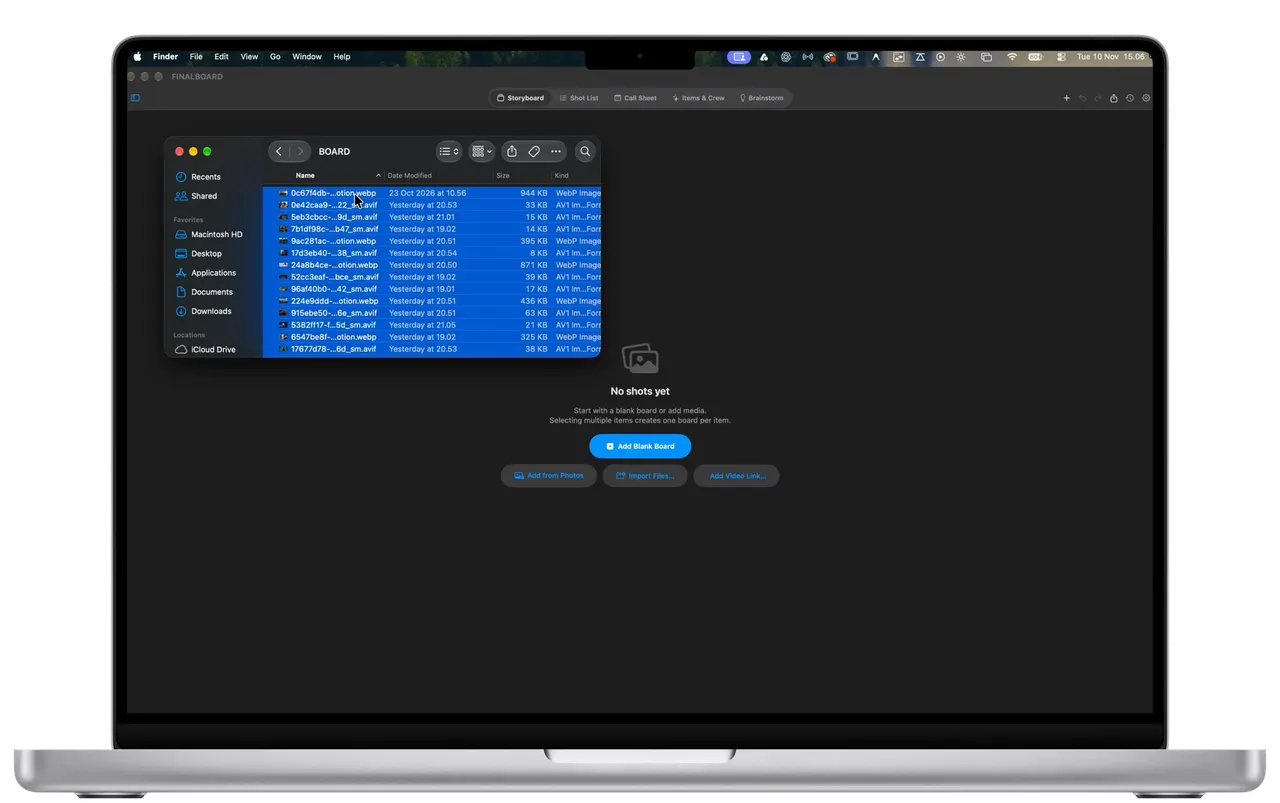
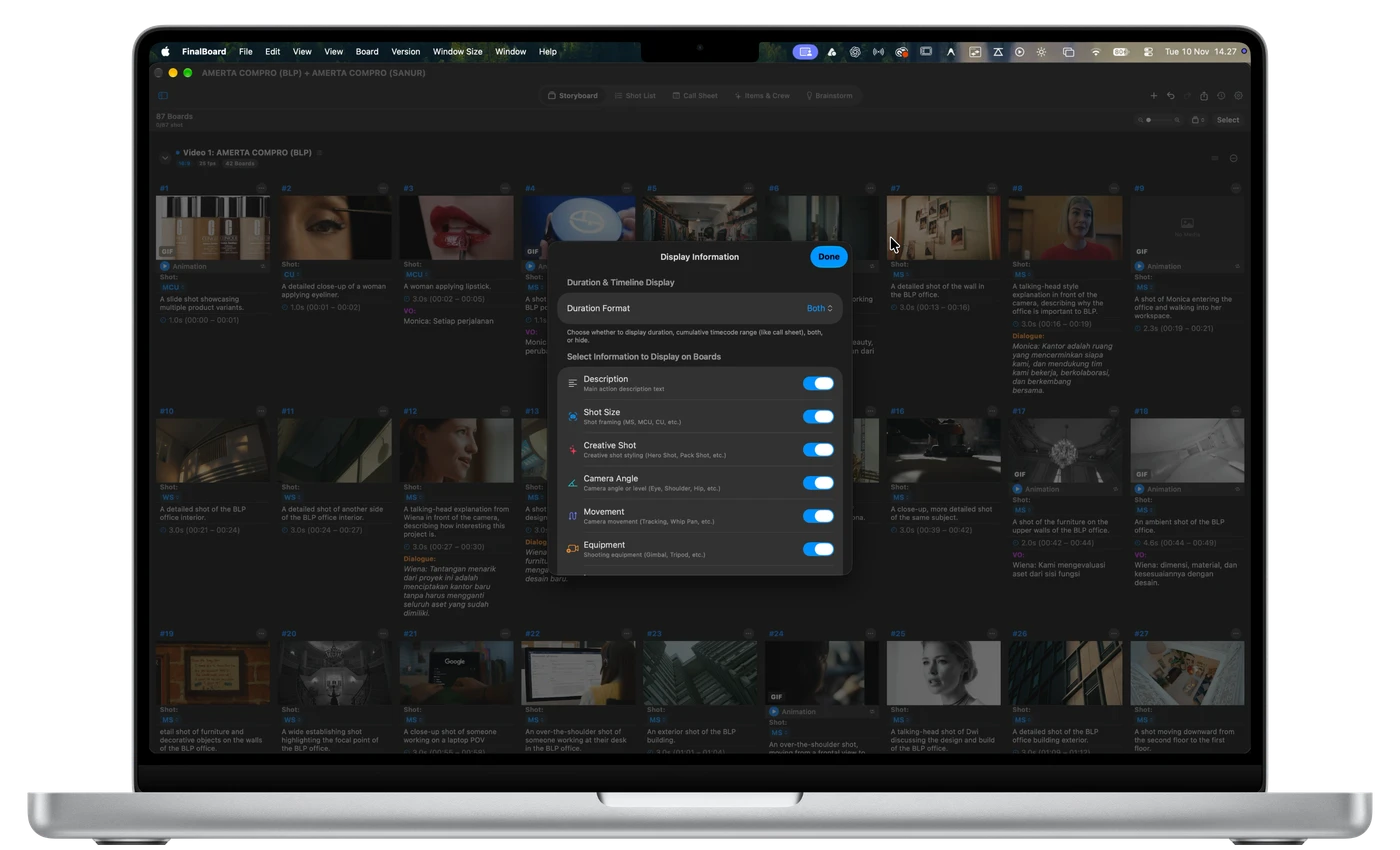
FinalBoard Mac storyboard interface
FinalBoard iPhone storyboard interface
Fluid Flow & Smart Auto-Shift

Rearrange freely. Delete fearlessly.

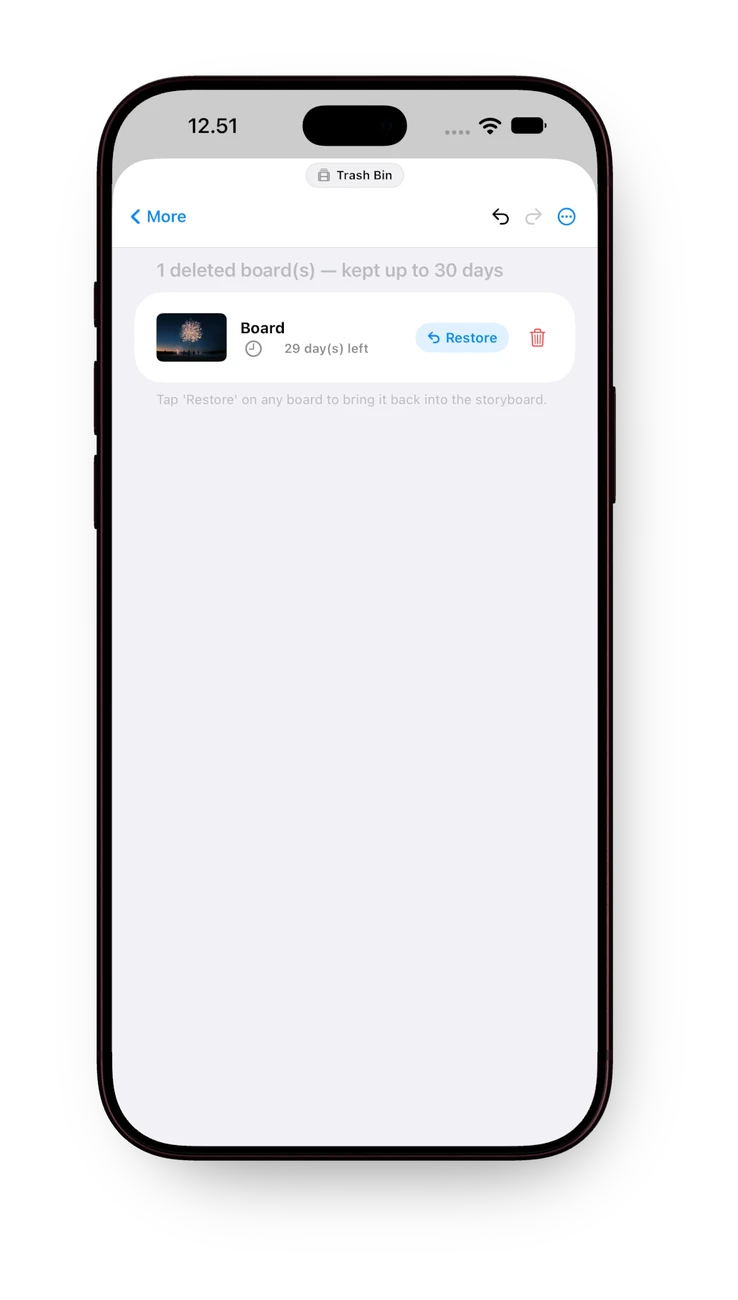
Simply drag and drop to reorder shots on the fly. When you delete a board, adjacent frames auto-slide into place and shot numbers dynamically update—everything stays synchronized automatically.
Fluid drag-and-drop to rearrange shots in FinalBoard
Fluid Reorder Drag & drop to resequence
Delete board with automatic frame shift and shot renumbering
Smart Auto-Shift Frames & numbers auto-update
Precision On-Set Control

Every camera detail. Revealed in full depth.

Tap any board to inspect and configure detailed camera setups on set. Scrub through the frame to reveal live shot sizes, angles, camera movements, focal lengths, 24/25 fps timebase, and dialogue cues.

Shot Sizes WS · MS · CU · 2S · POV
Angles & Movements Eye Level · Low · Pan · Tilt · Steadicam
Lenses & Timebase 24mm · 35mm · 50mm · 85mm • 24 / 25 fps
Performance & Notes Dialogue, Voiceover & Wardrobe Notes
02 / SHOT LIST

Draft your storyline.
Before drawing a single frame.

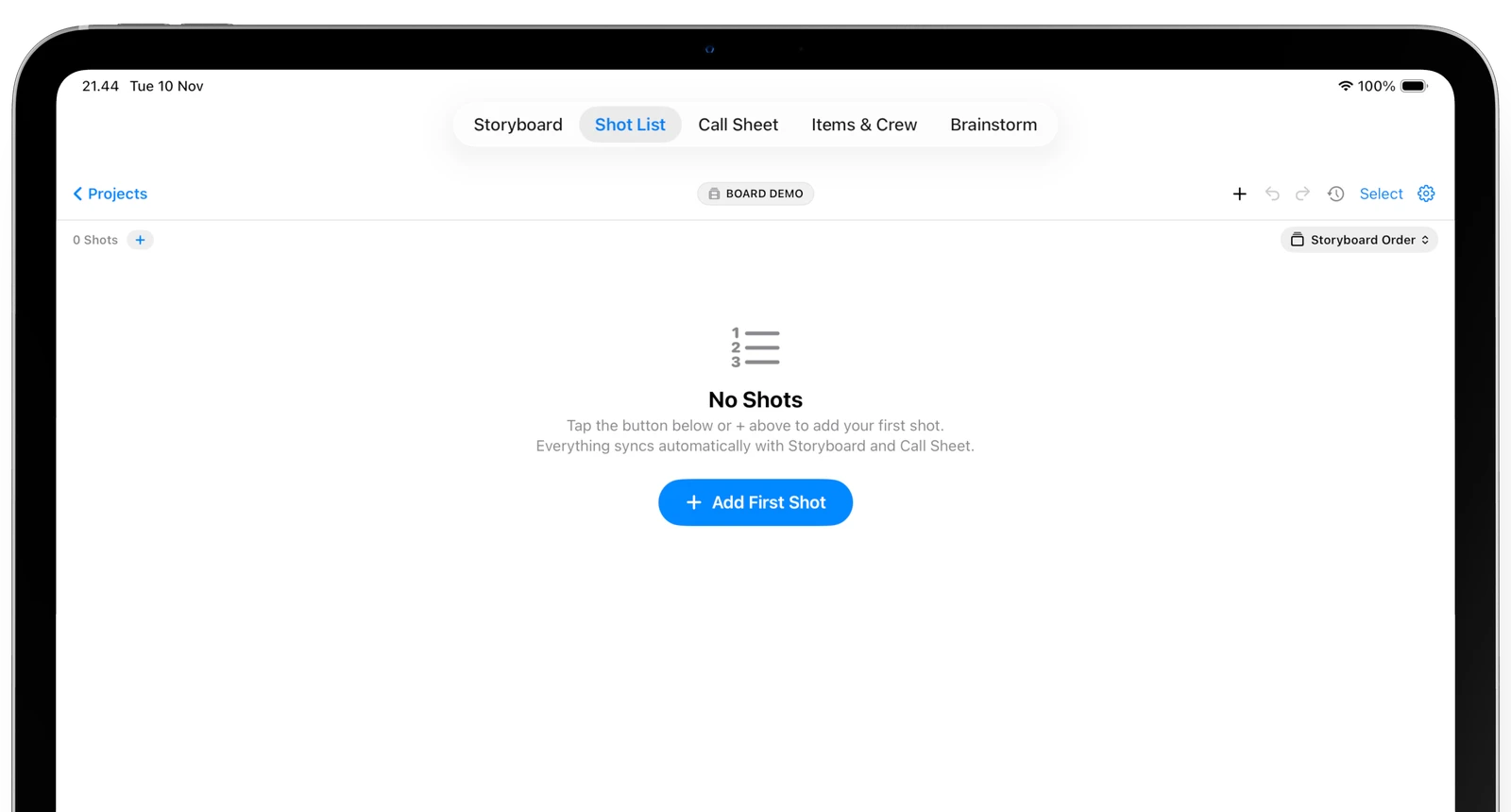
Start with pure narrative coverage. Write scenes, camera setups, and action beats freely—every shot stays deeply connected and synchronized with your Storyboard.

Blank Shot List on iPad ready for narrative writing
Step 01 • Narrative First Draft your shot list without worrying about images yet Focus on pacing and scene flow before visuals are ready. Everything you create connects directly into Storyboard.
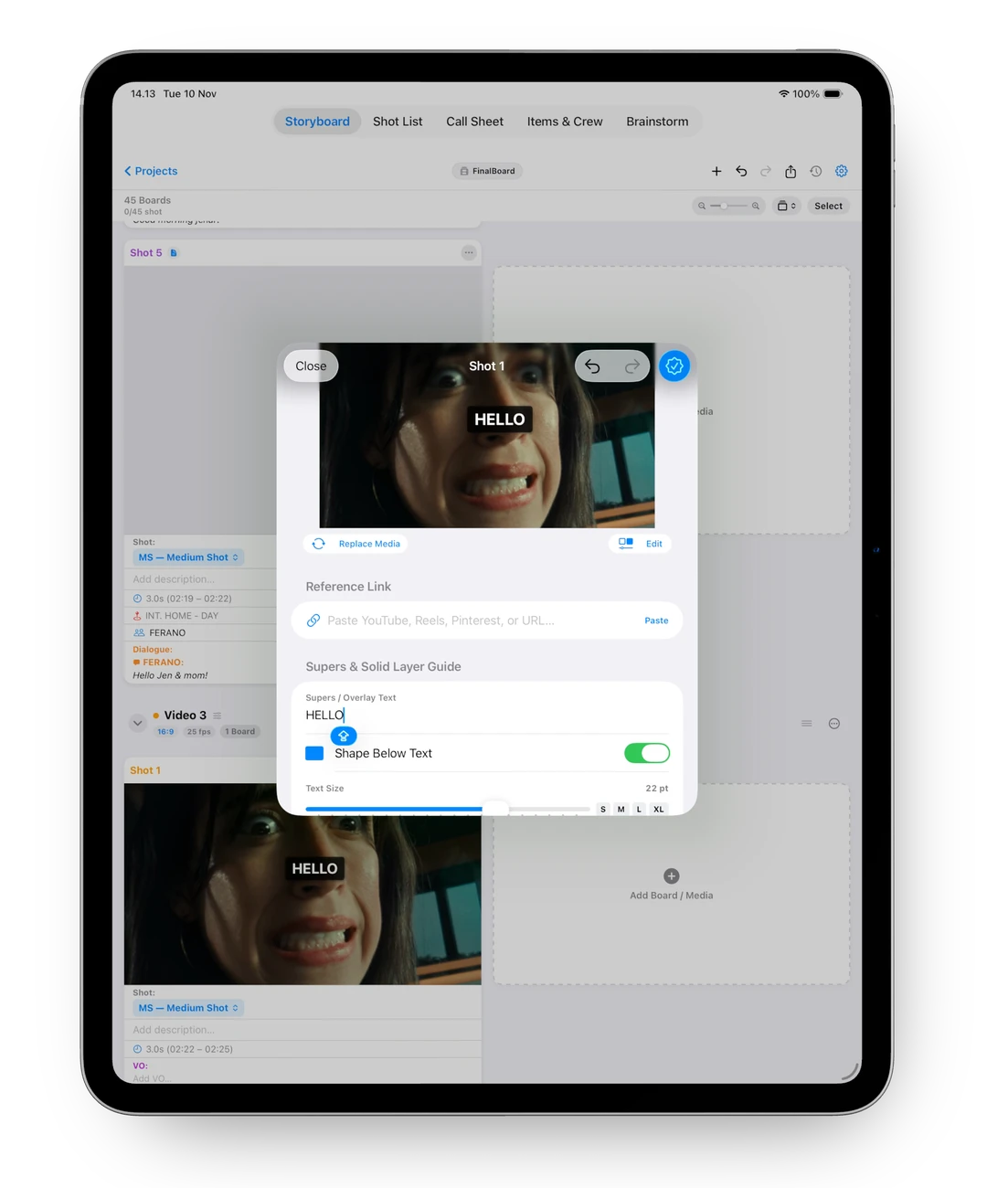
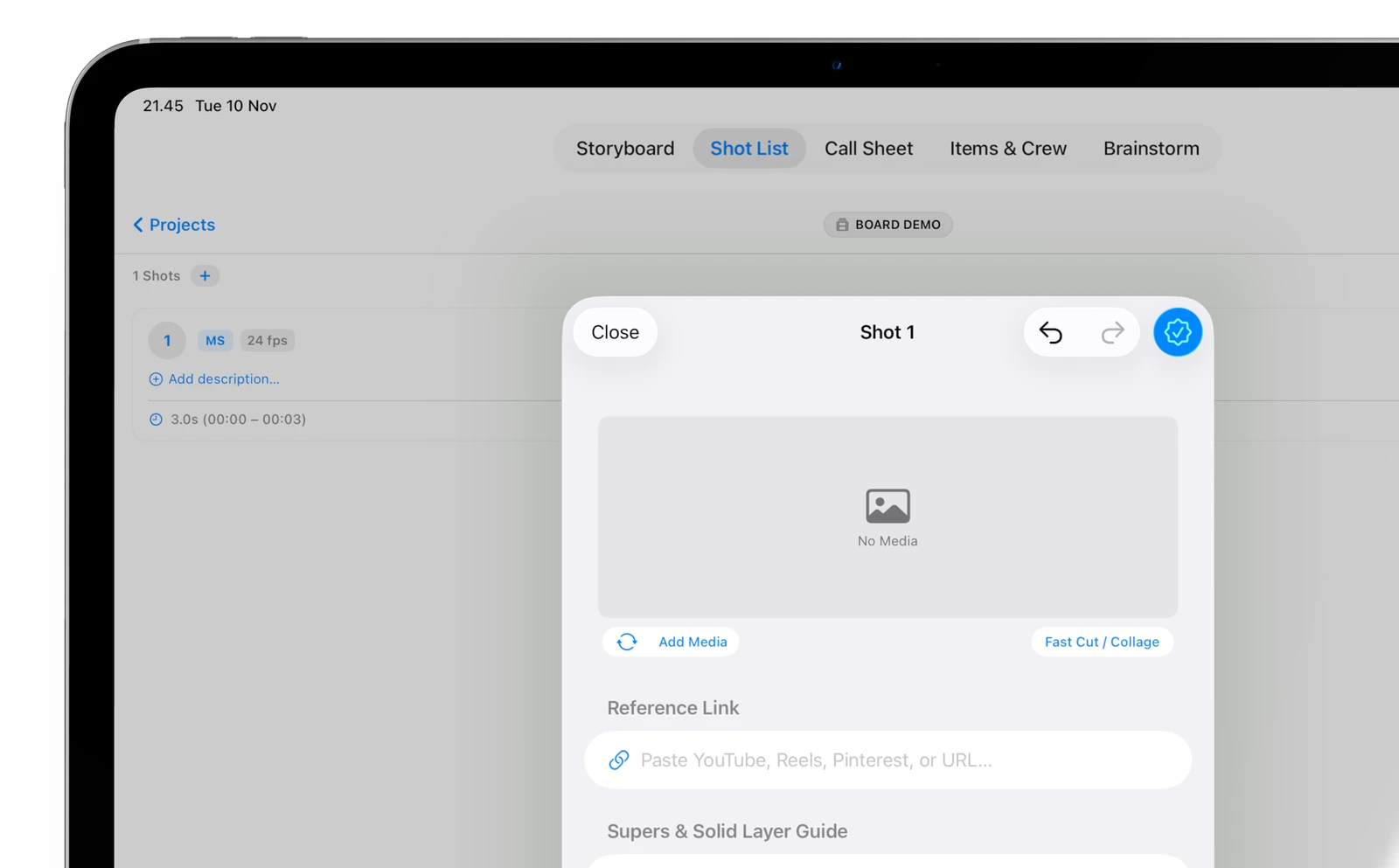
Inspect and configure shot details, media attachments and supers on iPad
Step 02 • Connected Details Every detail control matches Storyboard exactly Camera framing, focal length, reference links, and supers guides sync bidirectionally for complete project continuity.
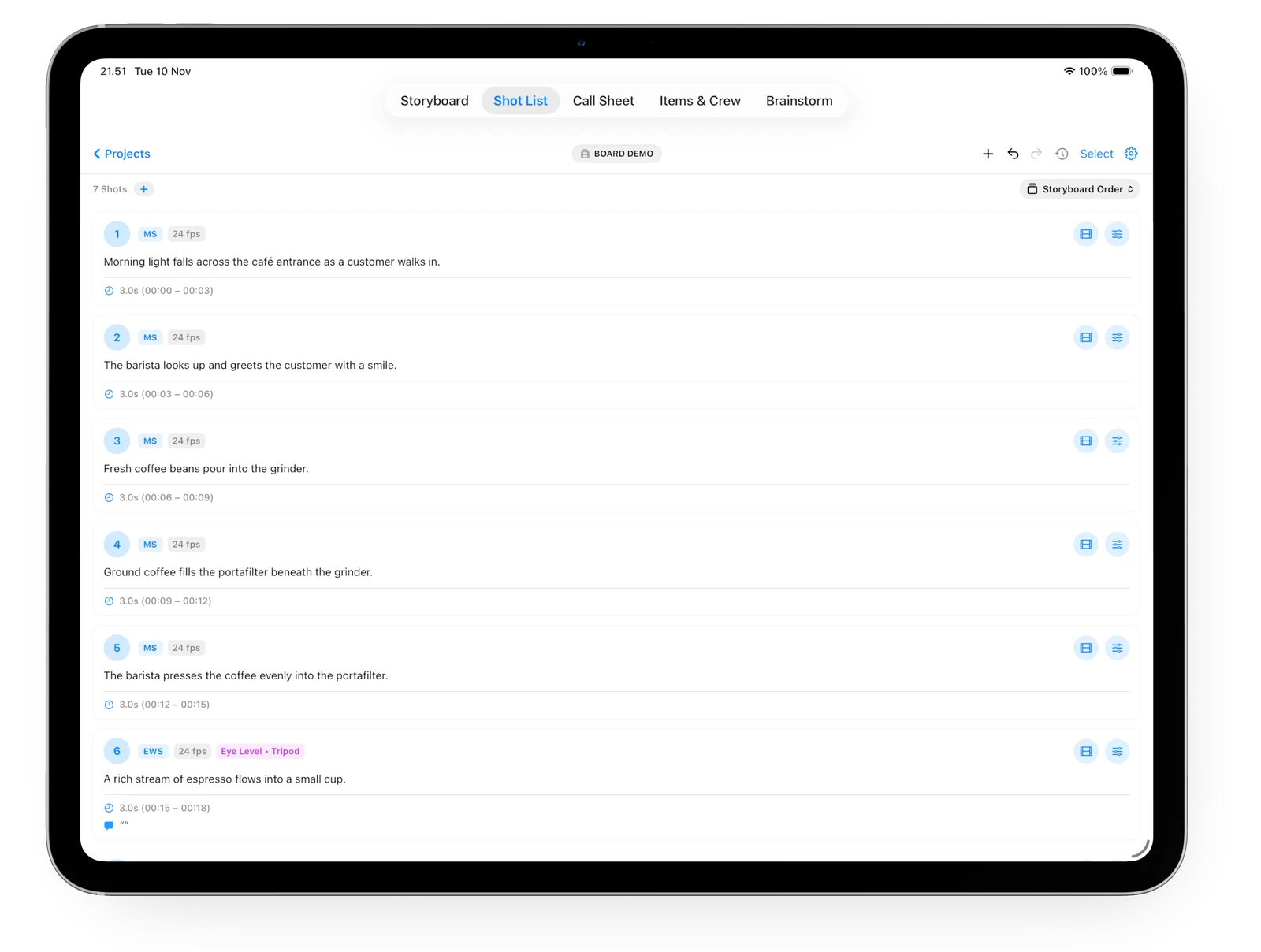
Fleshed-out Shot List with descriptions and film strip shortcuts on iPad
Step 03 • Live Coverage Descriptions added. Tap the film strip to jump to Storyboard. Review scene durations, camera sizes (MS, EWS), and angles. Tap the film strip icon on any shot to jump straight into its visual board.
03 / CALL SHEET & TIMELINE

From storyboard to shooting call.
Without touching a spreadsheet.

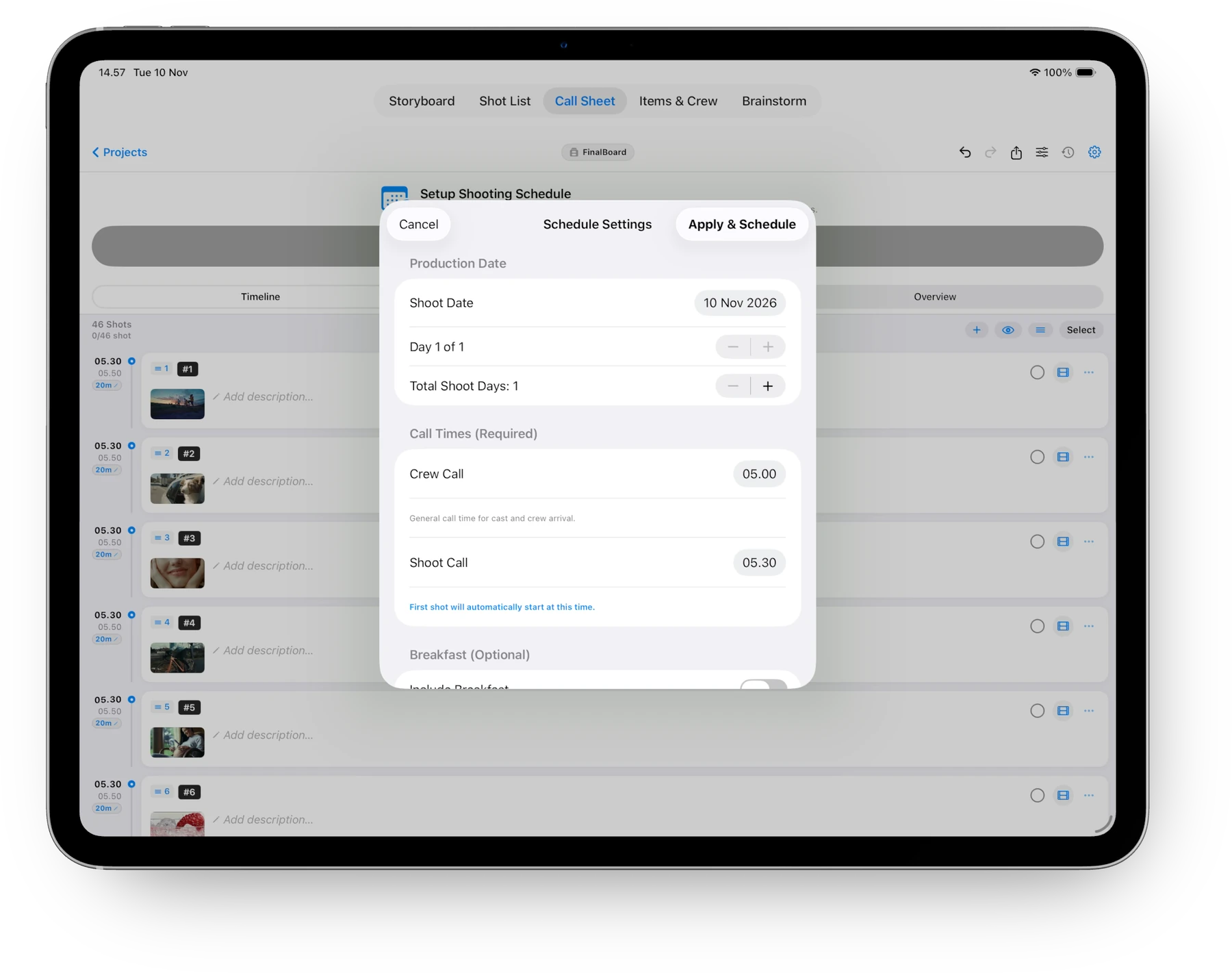
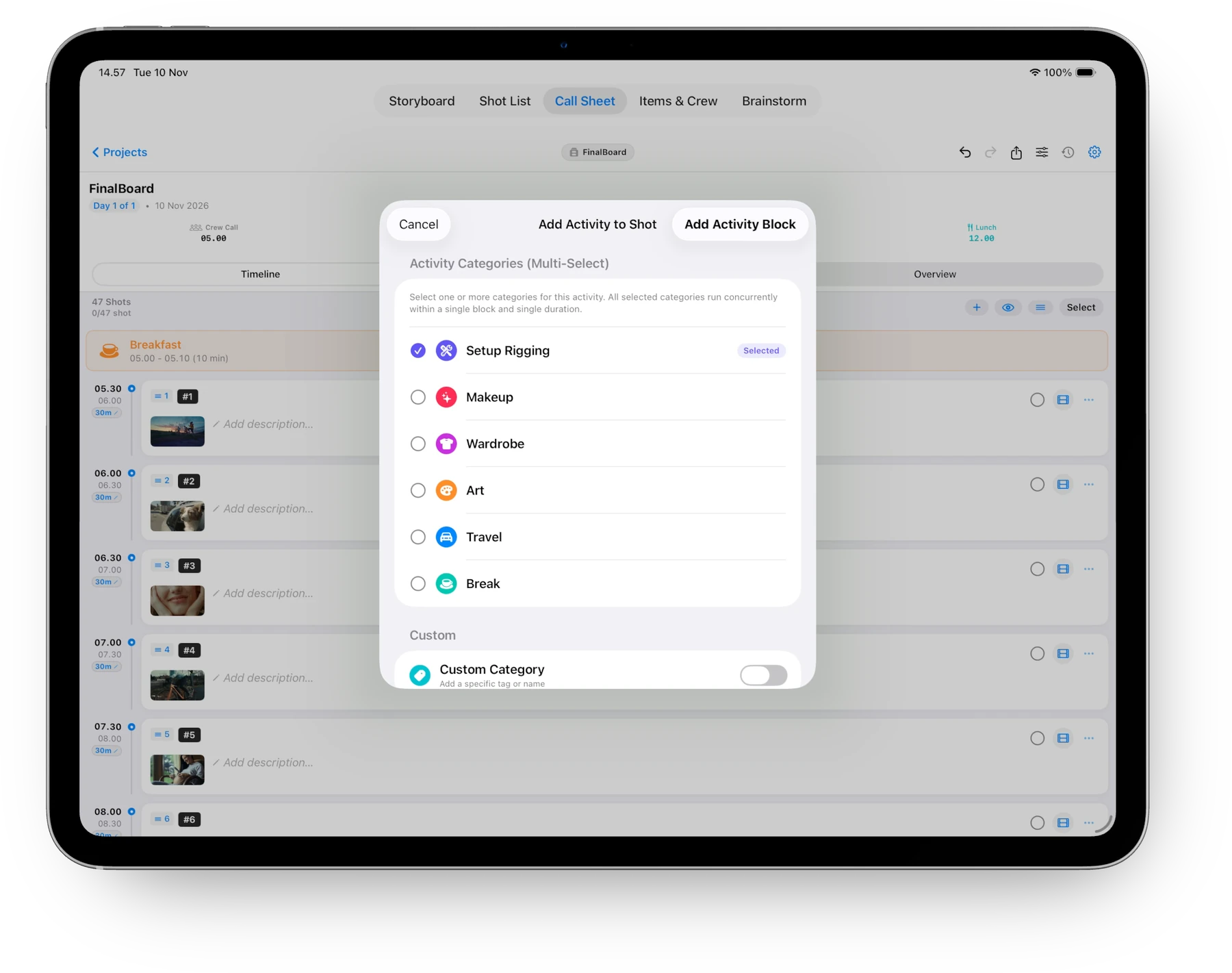
FinalBoard automatically transforms your visual boards into an industry-standard shooting schedule. Set your shoot call, weave in meal and department activity blocks, and watch your timeline dynamically calculate wrap time.

FinalBoard Schedule Settings with Crew Call, Shoot Call and dynamic wrap calculation
Automated Timing Set Crew Call & Shoot Call. FinalBoard handles the rest. Enter call times once. The timeline automatically cascades shot durations and calculates your exact projected wrap time.
FinalBoard Add Activity Block with Rigging, Makeup, Wardrobe, and Meal breaks
Department Blocks Rigging, Hair & Makeup, Company Moves. Insert multi-category activities seamlessly into your shoot day so cast and crew arrive right when they are needed.
FinalBoard seamless link: tapping shot in Call Sheet jumps to Storyboard card
Instant Visual Recall Tap any shot to jump straight into Storyboard. Need to see the frame? Tap the filmstrip icon on any call sheet row to jump right into its visual board with glowing highlight.
04 / ON-SET PRODUCTION & REAL-TIME SYNC

Mark once on set.
Synced across your entire crew.

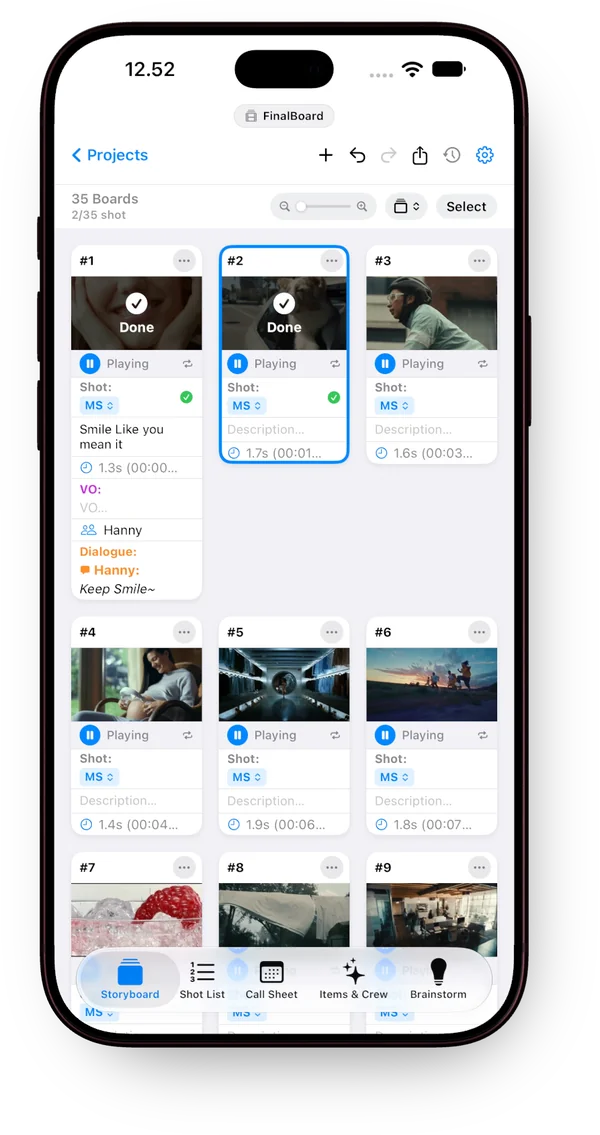
When a shot wraps, tap Done on any device — your Call Sheet, Shot List, and Storyboard update simultaneously with zero lag.

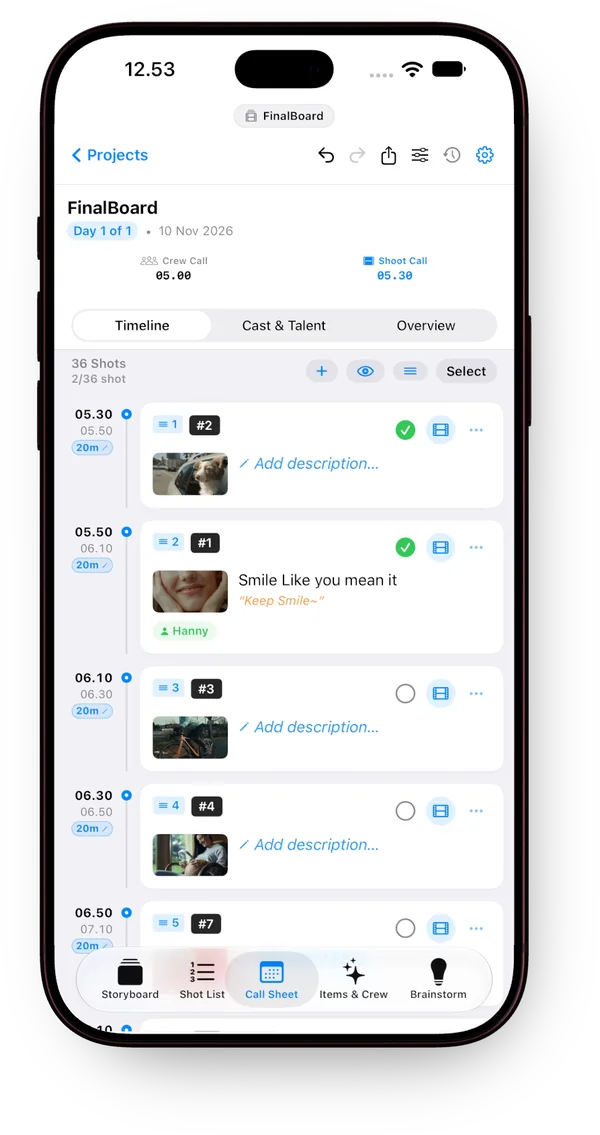
On-set Call Sheet wrap tracking with green checkmarks on iPhone
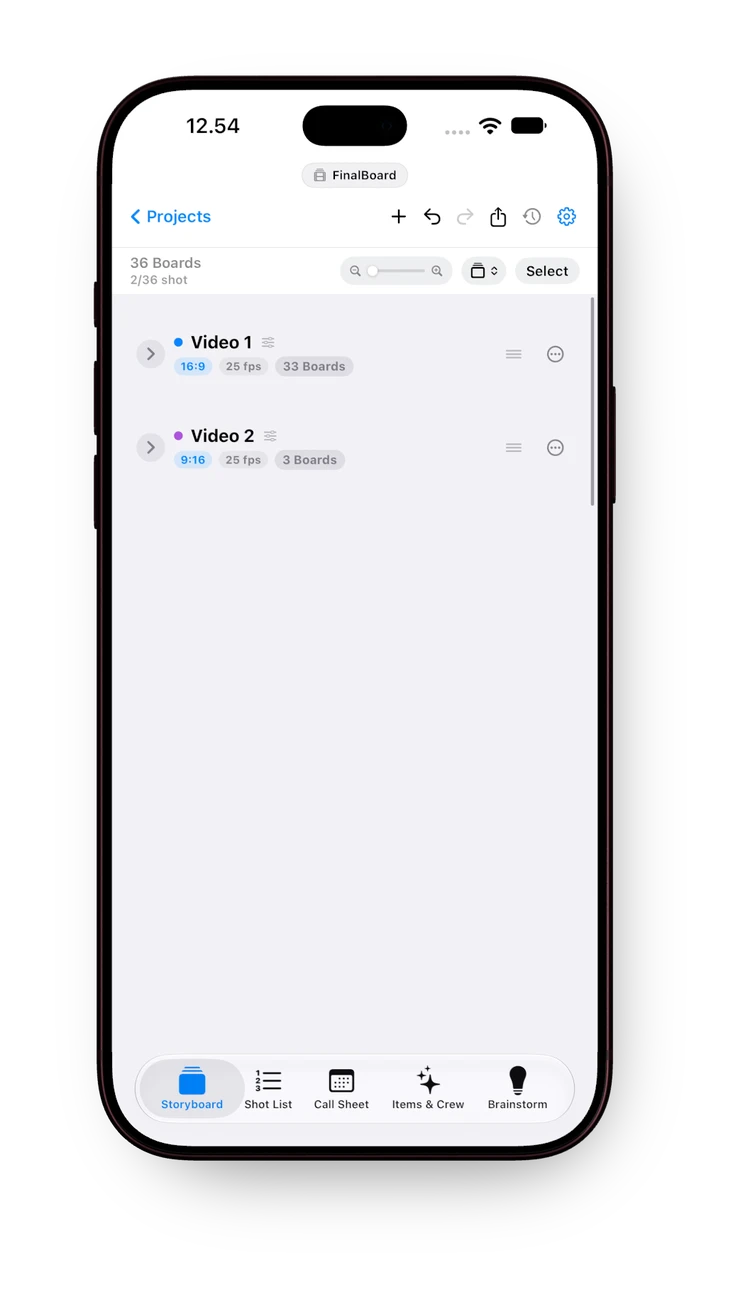
Live Wrap Tracking Tap Done on Call Sheet. Progress updates instantly. Completed shot counts (2/36 shot) tick up in real time, giving the 1st AD an instant read on schedule health.
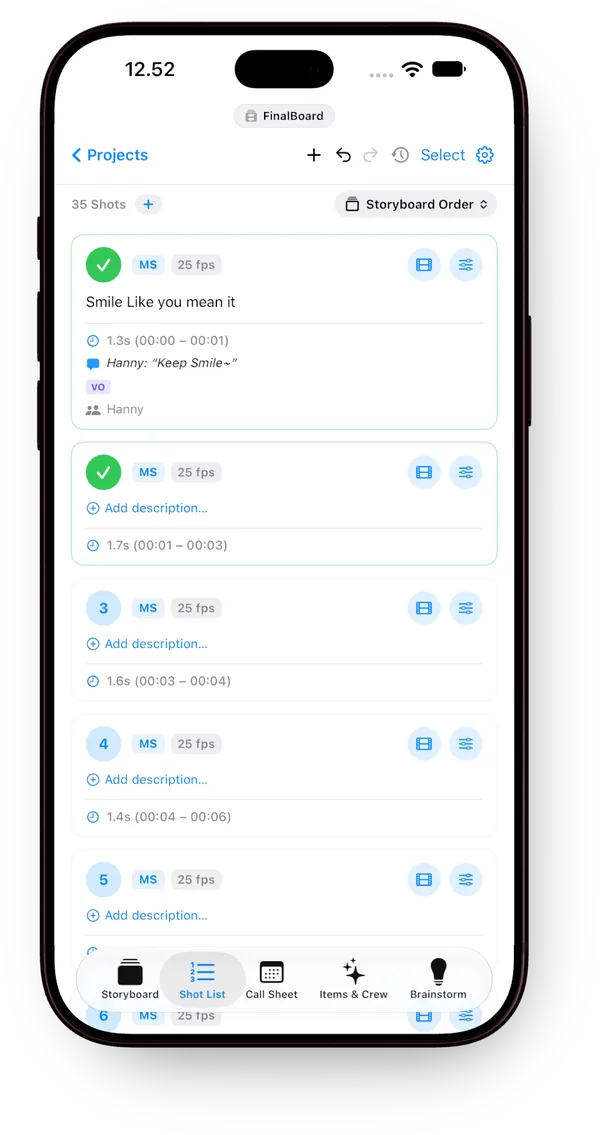
Shot List live status with green completion checkmarks on iPhone
Script Supervisor & DP Sync Technical shot list reflects completion badges. Green status outlines and checkmarks confirm taken setups, frame rates, and camera angles at a glance.
Storyboard cards with prominent Done checkmark overlay on iPhone
Director's Visual Bird's-Eye Storyboard frames light up with high-contrast Done badges. Director and DP see exactly which frames are wrapped in the can, with visual check badges right on the board cards.
SMART CONTINUITY IN MOTION

Tag in dialogue. Jump from items to board.

Zero double data entry. Write talent into dialogue or VO to automatically register them in Items & Crew — then tap any linked shot to jump directly to the storyboard frame with illuminated focus.

01 / AUTO-TAG & SYNC
Type in VO or Dialogue. Registered in Items & Crew.

Type a speaker's name in Dialogue or Voice-Over and tap + Add Talent. They are instantly registered into the project's central Talent roster, tagged on the shot, and ready for quick selection across every board.

02 / LIVE HYPERLINKS
Hyperlink Everything for Every Crew Member.

Every talent, wardrobe piece, or camera package tracks all linked shots (e.g. Linked: #3, #5, #6, #8). Tap any shot number to instantly jump directly to the Storyboard with that exact shot illuminated.

DEPARTMENT HEADQUARTERS

One central brain for every department on set.

Wardrobe, Talent / Cast, Locations, Props & Art, and Hair & Makeup. Every department stays interconnected across every shot without endless chat threads.

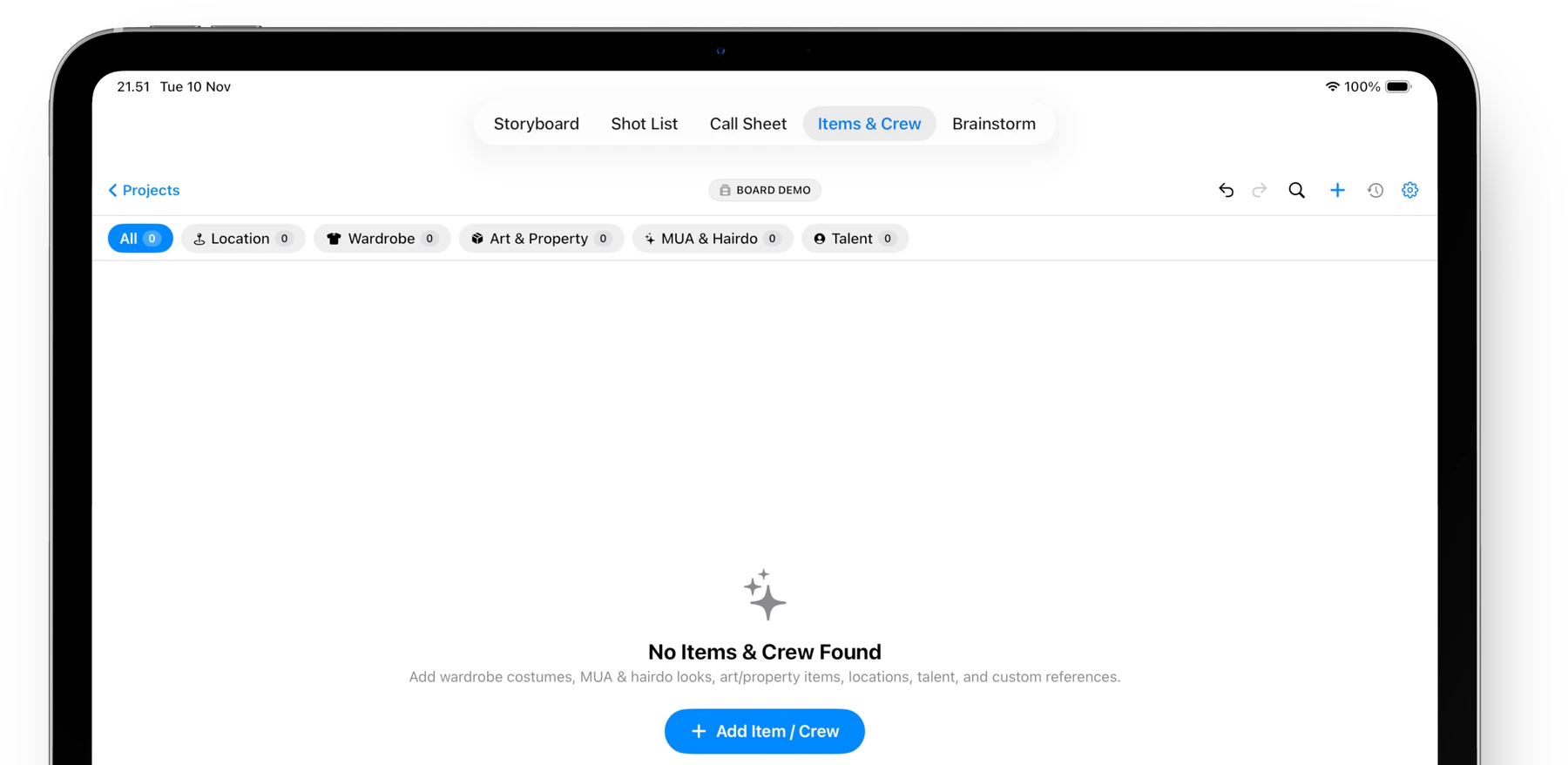
FinalBoard Items and Crew category hub on iPad
All Departments

Organized by Specialty

Dedicated filter pills for Location, Wardrobe, Art & Property, MUA, and Talent keep every department's requirements organized with zero clutter.

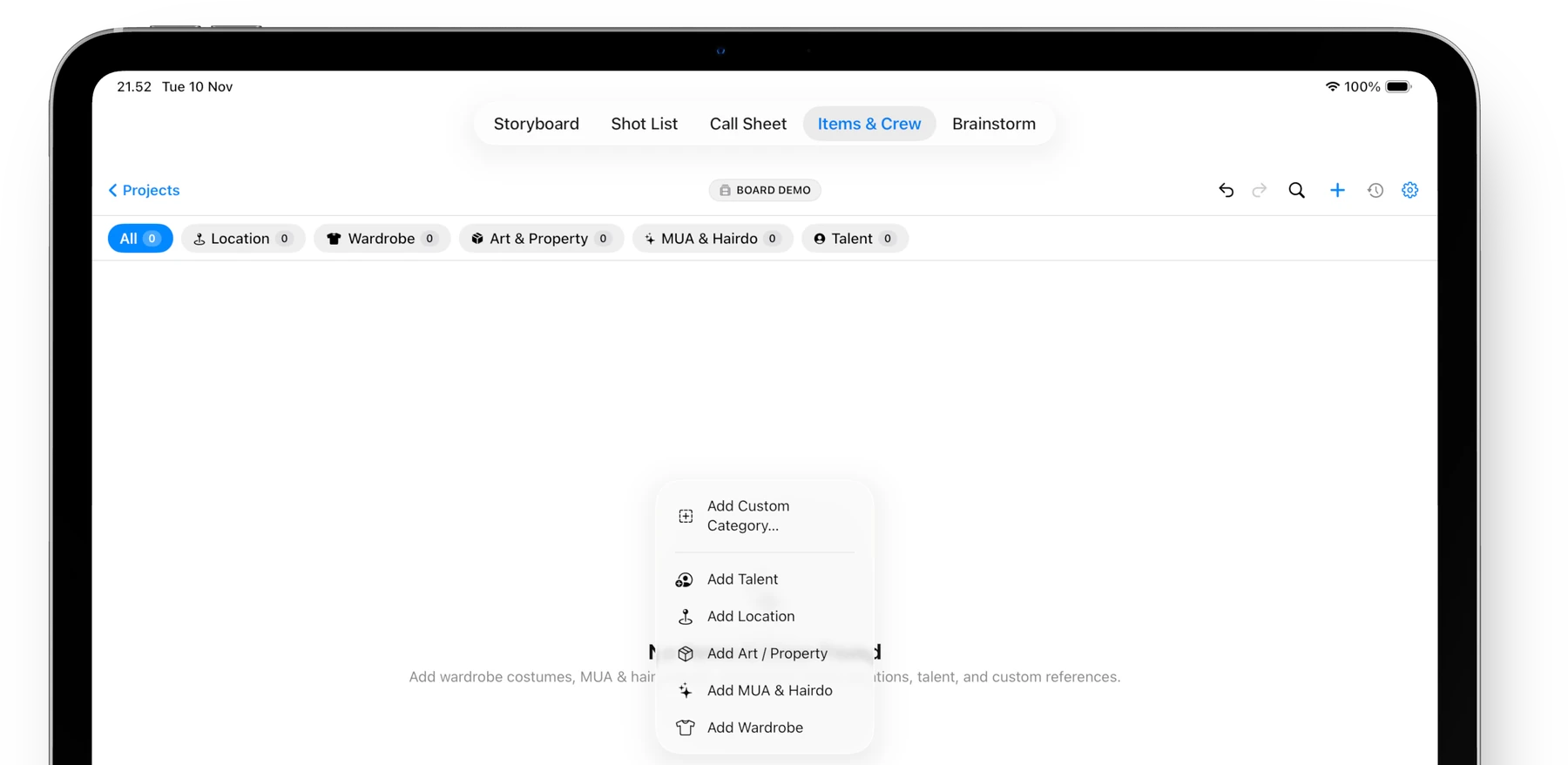
FinalBoard Quick Add Category popup menu on iPad
Instant Creation

Custom Categories in Seconds

Add custom categories, stunt actors, or specialized prop items with one tap right on set whenever the script demands it.

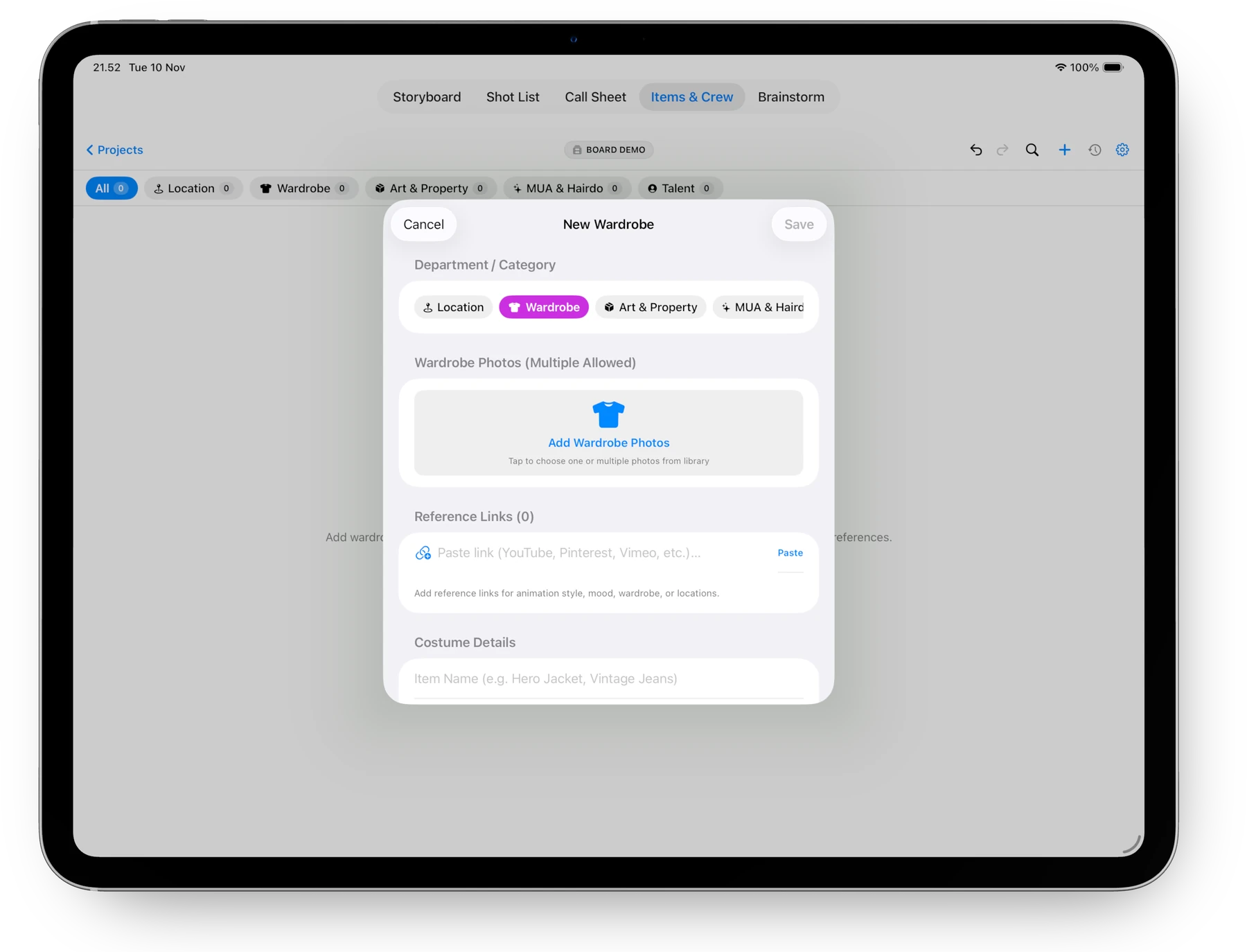
FinalBoard Wardrobe and Costume detail modal with multiple photos and reference links
Deep Continuity

Visual Fittings & Mood Links

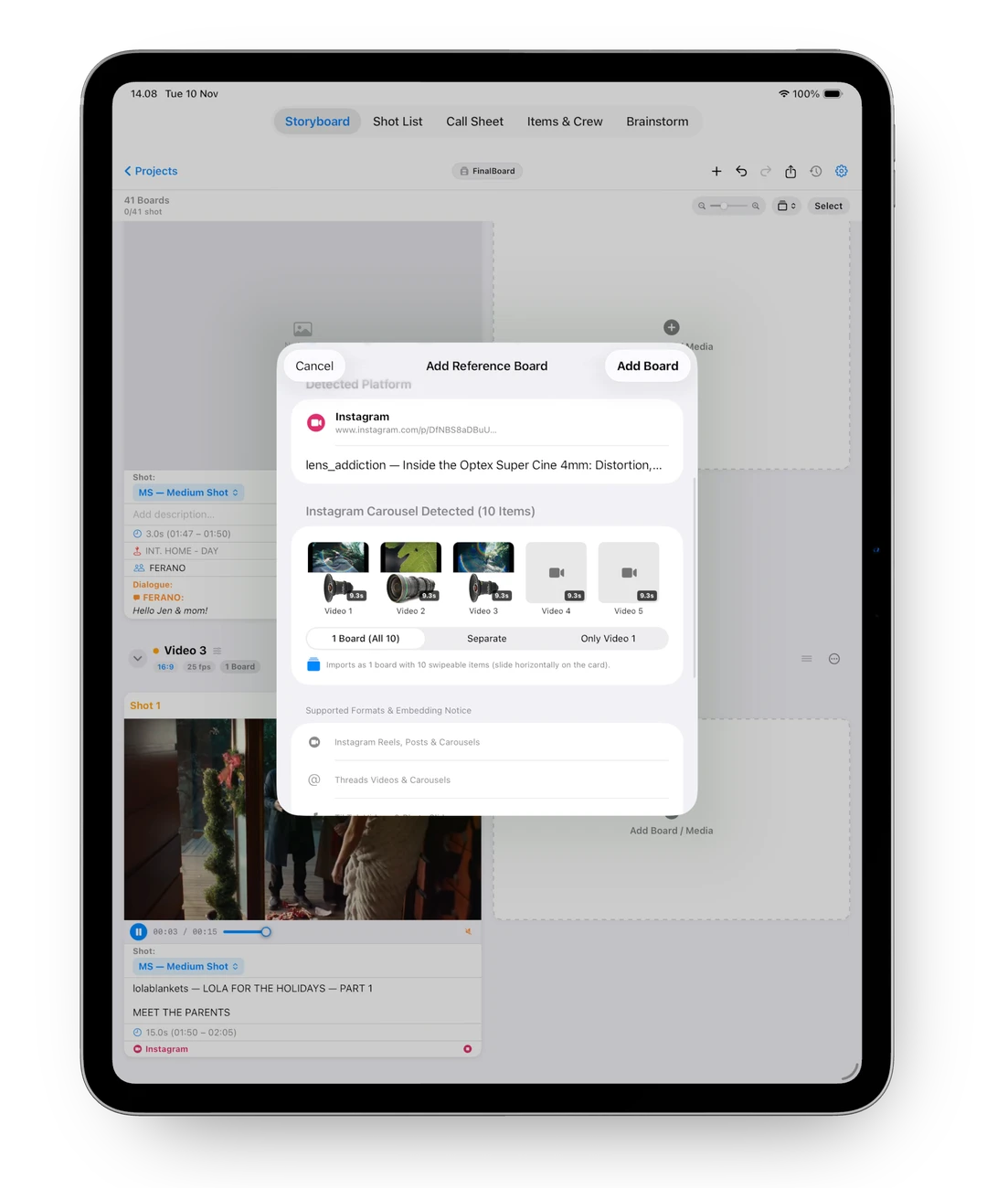
Attach multiple fitting photos and embed live streaming links (Pinterest, Vimeo, YouTube) directly to any costume item for flawless continuity.

05 / BRAINSTORM & SCREENPLAY

From raw spark to industry screenplay.
With 1-tap storyboard breakdown.

Map non-linear ideas on an infinite visual canvas, or write in standard industry screenplay format. Turn thoughts into production-ready storyboard frames with one click.

FinalBoard Brainstorm Infinite Canvas Generating Storyboard and Multi-Take Version Switching
01
Node Mindmap

Connect scene ideas, camera directions, and mood photos with fluid smart arrows.

02
1-Tap Generate Storyboard

Send nodes straight into sequential storyboard frames with all metadata preserved.

03
Multi-Take Branching (V1/V2)

Switch between alternate takes right on the card with zero clutter on your board.

SCREENPLAY STUDIO

Industry Screenplay Studio. Built right in.

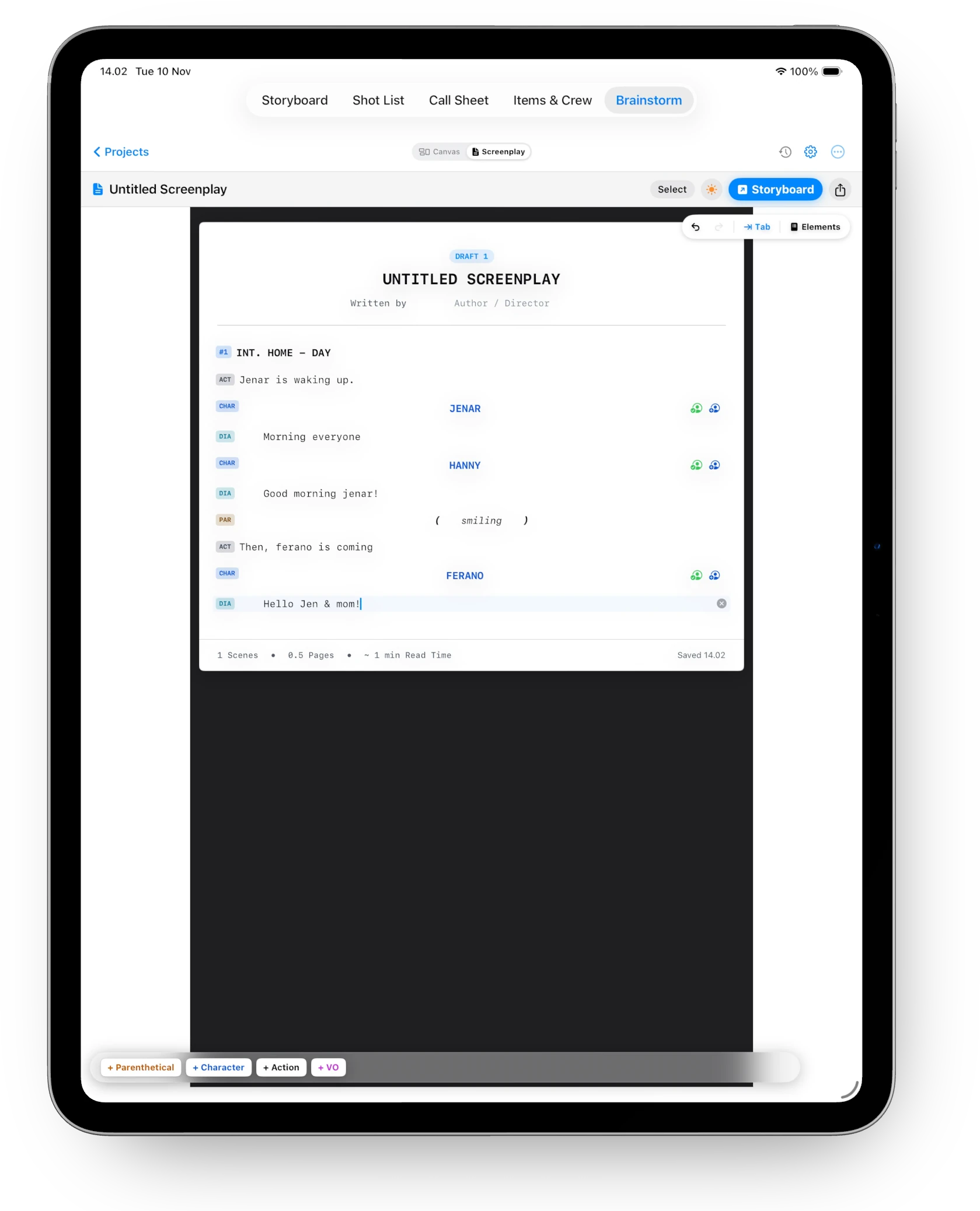
Format standard Courier 12pt scripts with intelligent keyboard flow, then extract dialogue and action blocks directly into visual storyboard cards with a single tap.

FinalBoard Screenplay Editor with Industry Standard Courier Typography
Standard Industry Screenwriter Standard Courier 12pt format with smart autocomplete.

Write Scene Headings, Action, Character, Parenthetical, and Dialogue blocks with keyboard flow designed for real writers.

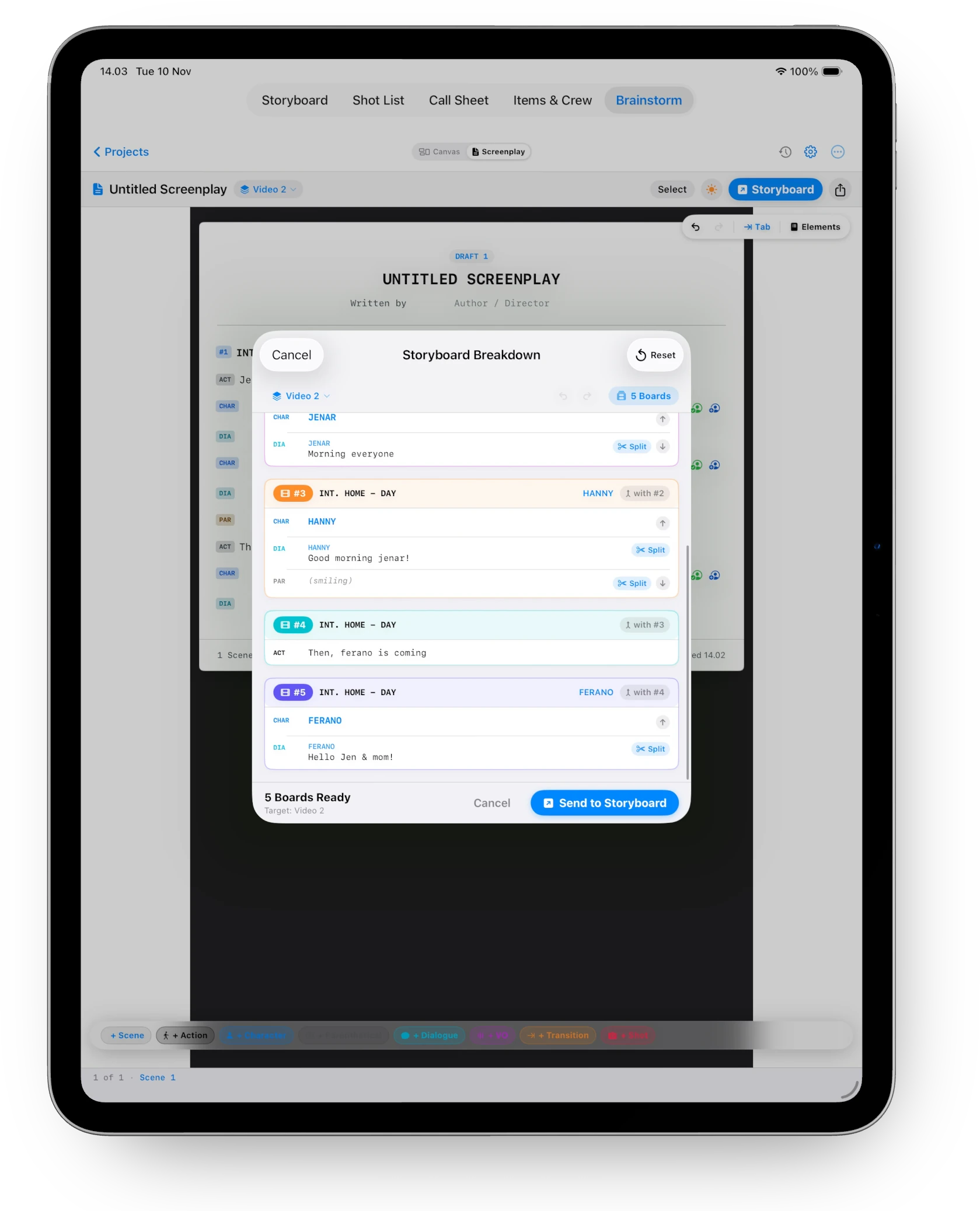
FinalBoard Storyboard Breakdown dialog parsing script directly into boards
Automated Board Generation Extract dialogue and action blocks into storyboard cards.

Tap Send to Storyboard to generate visual cards with character assignments already mapped. Split or reorder anytime.

07 / UNIVERSAL EXPORT

Deliver in every format.
From client pitch to camera department.

FinalBoard packages your entire pre-production workflow into industry-standard deliverables ready for clients, cast, and crew with a single tap.

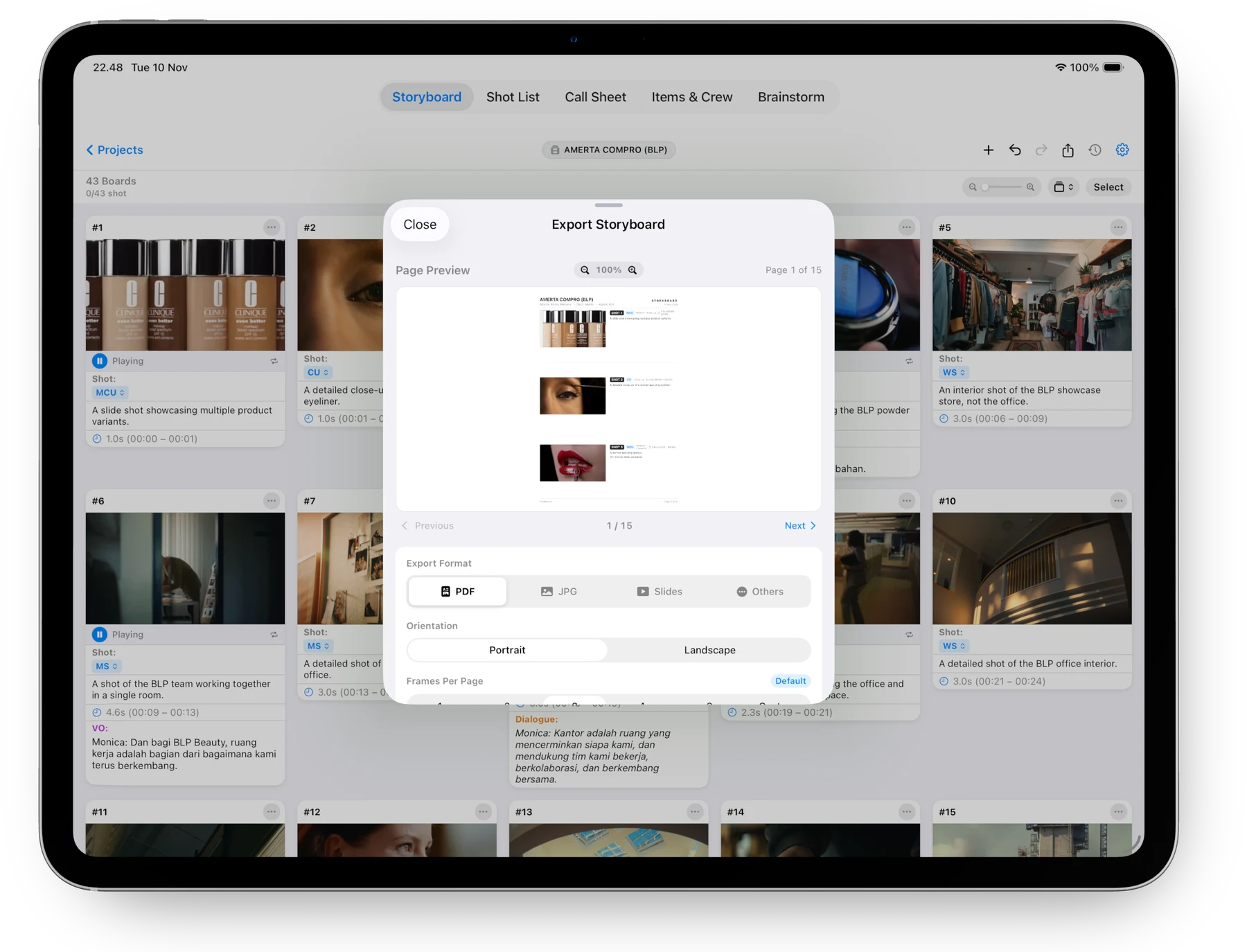
FinalBoard Storyboard Export Modal with PDF, JPG, Slides, Aspect Ratios
Client & Director Deck PDF, Keynote Slides, High-Res JPGs & Frame Grids Customizable frames per page (1 to 8), Portrait & Landscape A4, shot duration timestamps, director notes, and full media archives.
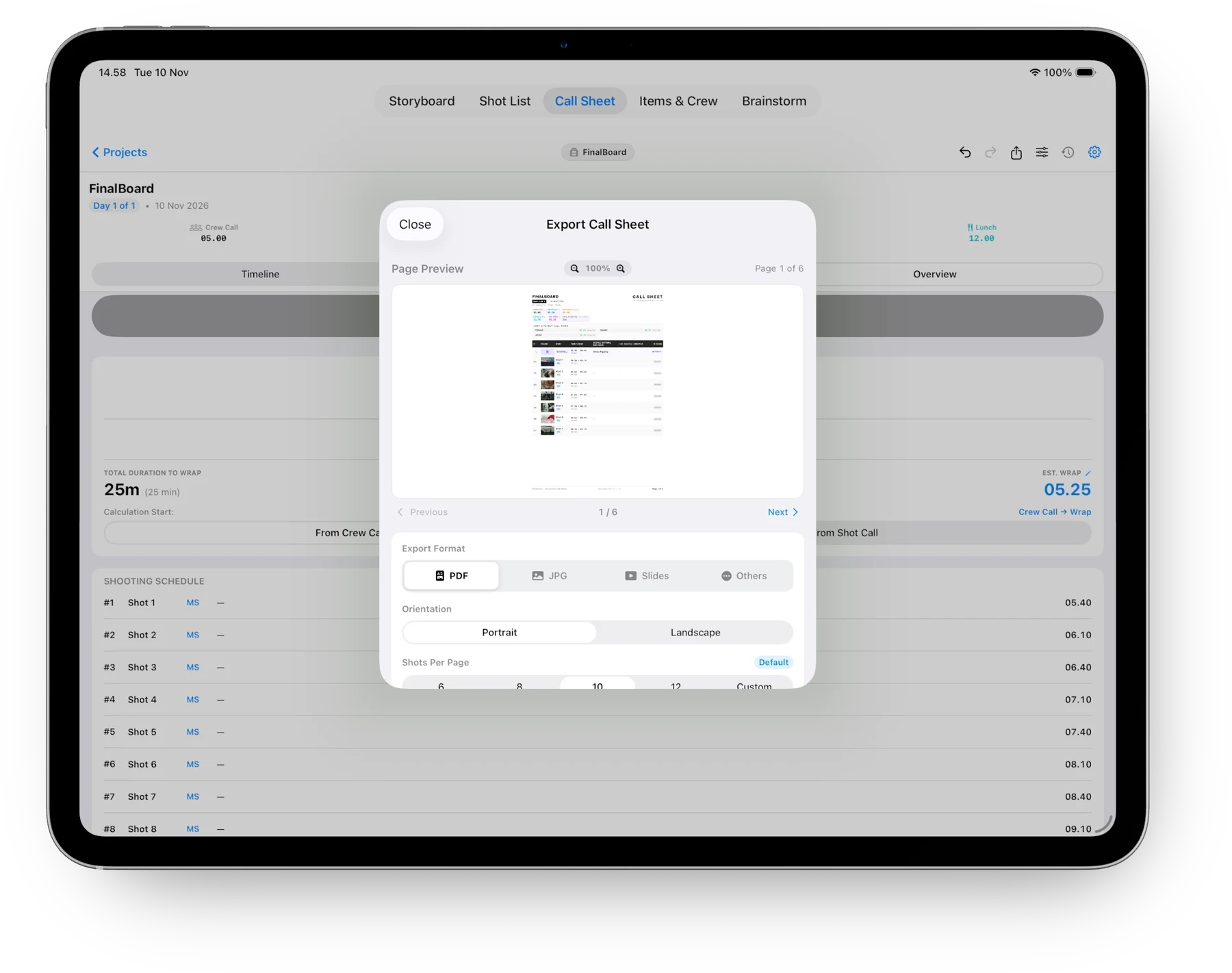
FinalBoard Call Sheet Export Modal with Print-ready PDF and JPEG decks
Call Sheet Schedule Print-Ready Daily Call Sheet PDF & JPEG Complete with crew call times, shooting timelines, scene descriptions, talent schedules, hospital directions, and auto-calculated wrap times.
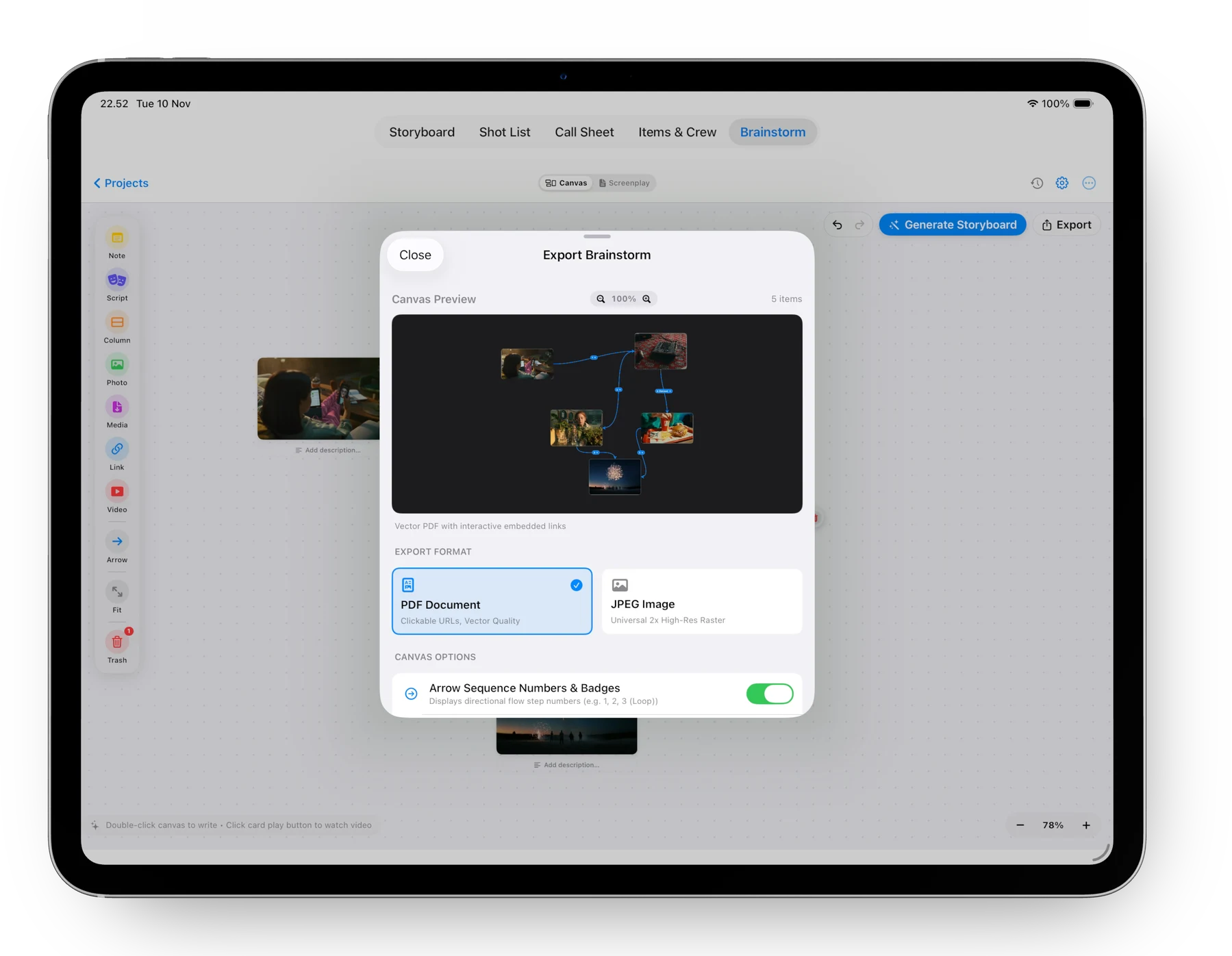
FinalBoard Infinite Canvas Moodboard Export Modal
Infinite 2D Moodboard High-Resolution Canvas PDF with Clickable Links Retains interactive hyperlinked reference videos, social carousels, and directional flowchart nodes for pitch meetings.
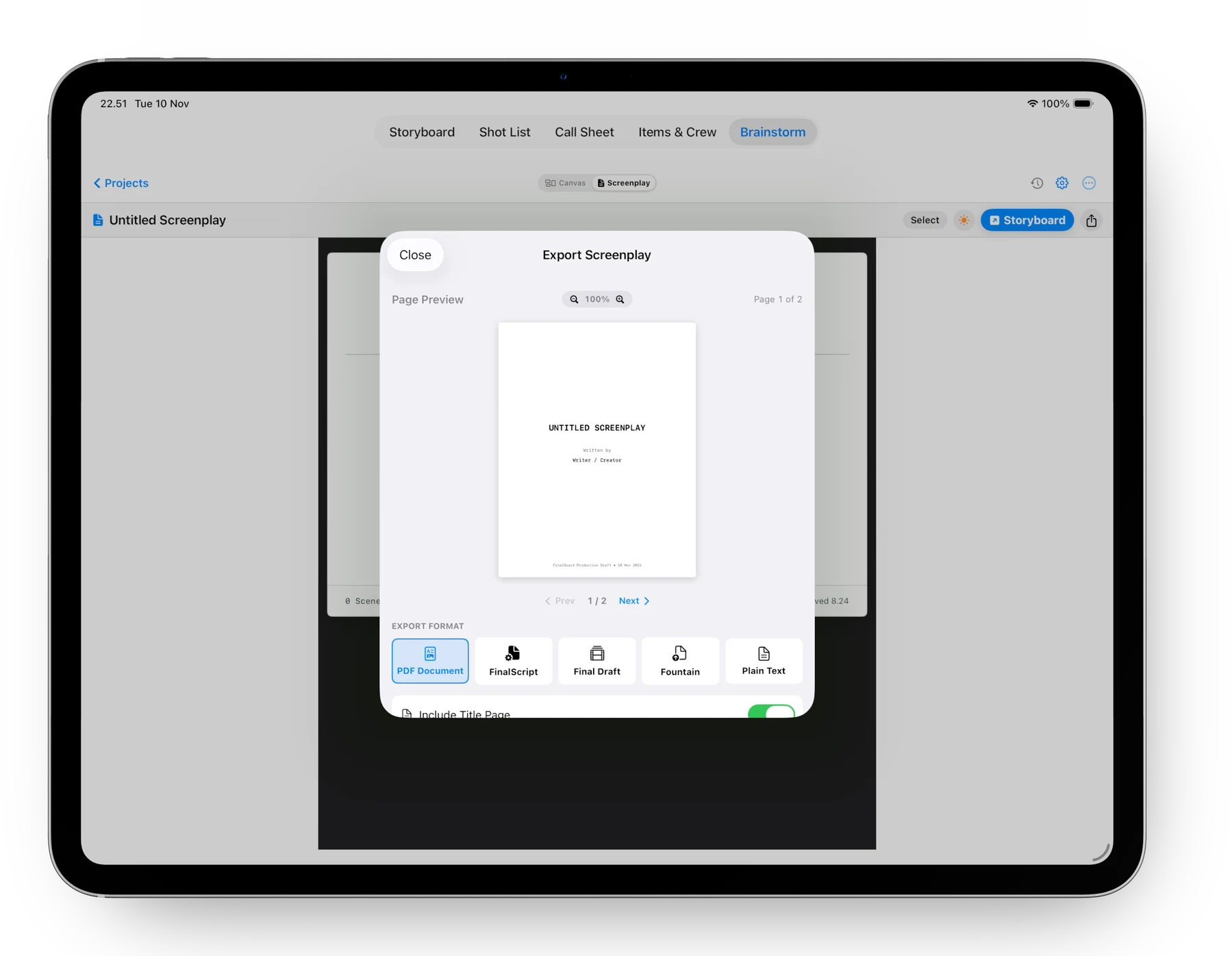
FinalBoard Screenplay Export Modal with Final Draft FDX and Fountain
Industry Script Delivery Final Draft XML (.fdx), Fountain, Industry PDF & TXT Standard 12pt Courier typography, formatted scene headings, characters, parentheticals, and dialogue blocks ready for writers' rooms.
Instant AirDrop Beam files directly to crew iPhones & iPads on set
iCloud & Apple Files Automatic cloud sync across your Mac, iPad, and iPhone
.fbarchive Archive Lossless full project backup with embedded media & shots
ECOSYSTEM • LOCAL COLLABORATION

Offline-first by design.
Seamless peer-to-peer on set.

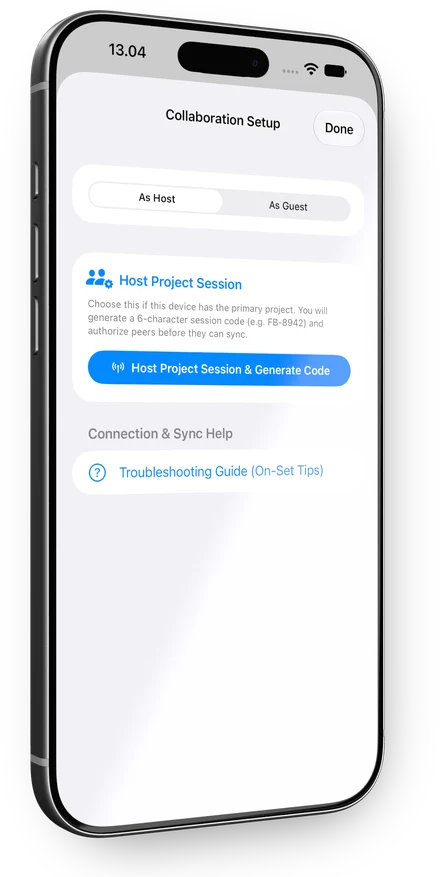
FinalBoard is engineered 100% offline-first so production never stops, even on remote soundstages without cell service. But when you are on set with your team, local peer-to-peer sync connects Mac, iPad, and iPhone crew members seamlessly over local Wi-Fi or Bluetooth.

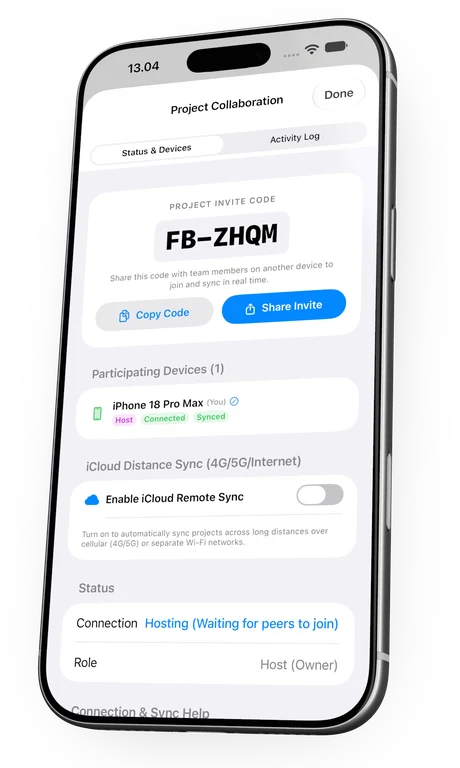
FinalBoard Host Project Session screen on iPhone
Host iPhone Host Setup
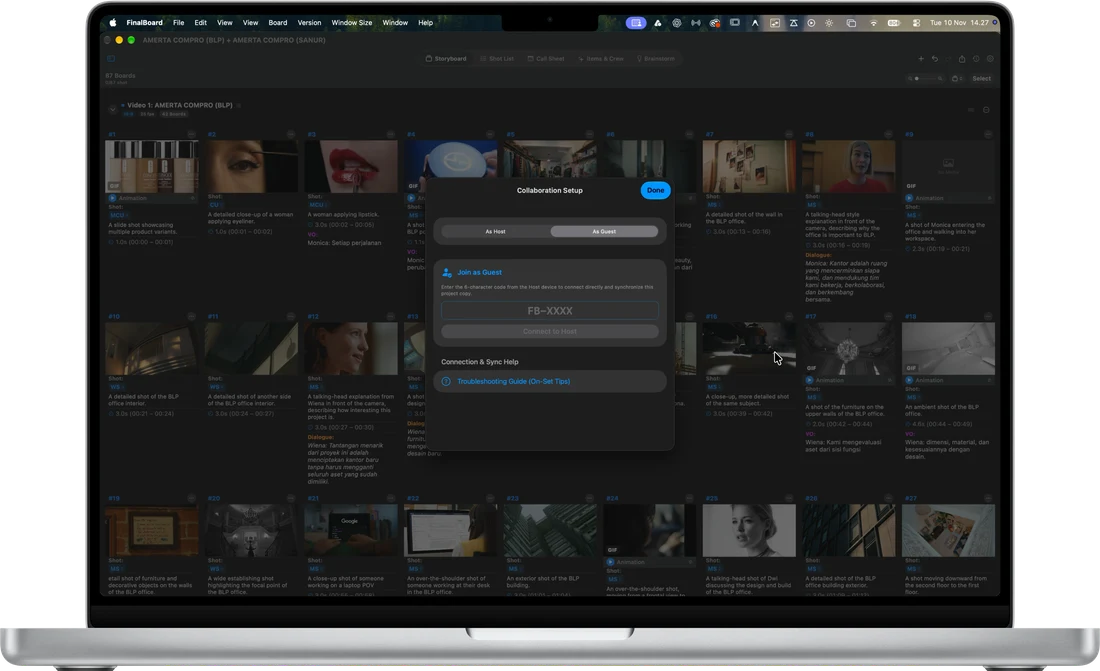
FinalBoard Guest Collaboration screen on Mac Studio
Connected Mac Guest Collaboration
FinalBoard Join Session with Invite Code on iPhone
Join Instant Session Code

Crafted for how filmmakers actually create.

Pure Offline-First Freedom

Draft, write, and direct anywhere without internet distractions or relying on cloud connections on remote sets. Work creatively with zero latency and full on-device peace of mind.

Apple Native Ergonomics

Engineered specifically for Mac, iPad, and iPhone. Enjoy fluid multi-touch gesture responsiveness, Apple Silicon speed, and unified on-device performance.

Pre-Production to Production Harmony

From first brainstorming spark to calling "Wrap!" on set, every asset, call time, and shot stays in perfect sync. Built to help filmmakers make something great in one unified app.

Ready to bring your next production to life?

Available natively for Mac, iPad, and iPhone. Download directly on the App Store to start directing with ease.

ALWAYS EVOLVING

FinalBoard is actively evolving to find its sweet spot.

Filmmaking is an art of continuous refinement. We are actively shaping FinalBoard and shipping regular updates so every director, DP, and crew member feels effortlessly at home on every shoot.

Want to be the first to know about every new update? Drop your email below to get the latest release notes delivered straight to your inbox:

✓ Thank you! You are subscribed to receive the latest updates directly from FinalBoard.
Zero spam. Only meaningful release announcements and feature drops.

Found a bug, have ideas, or need a custom feature tailored for your upcoming production?

Email the Developer (Report Bug / Request Feature) Email the Developer